Slack workspaces under different email addresses
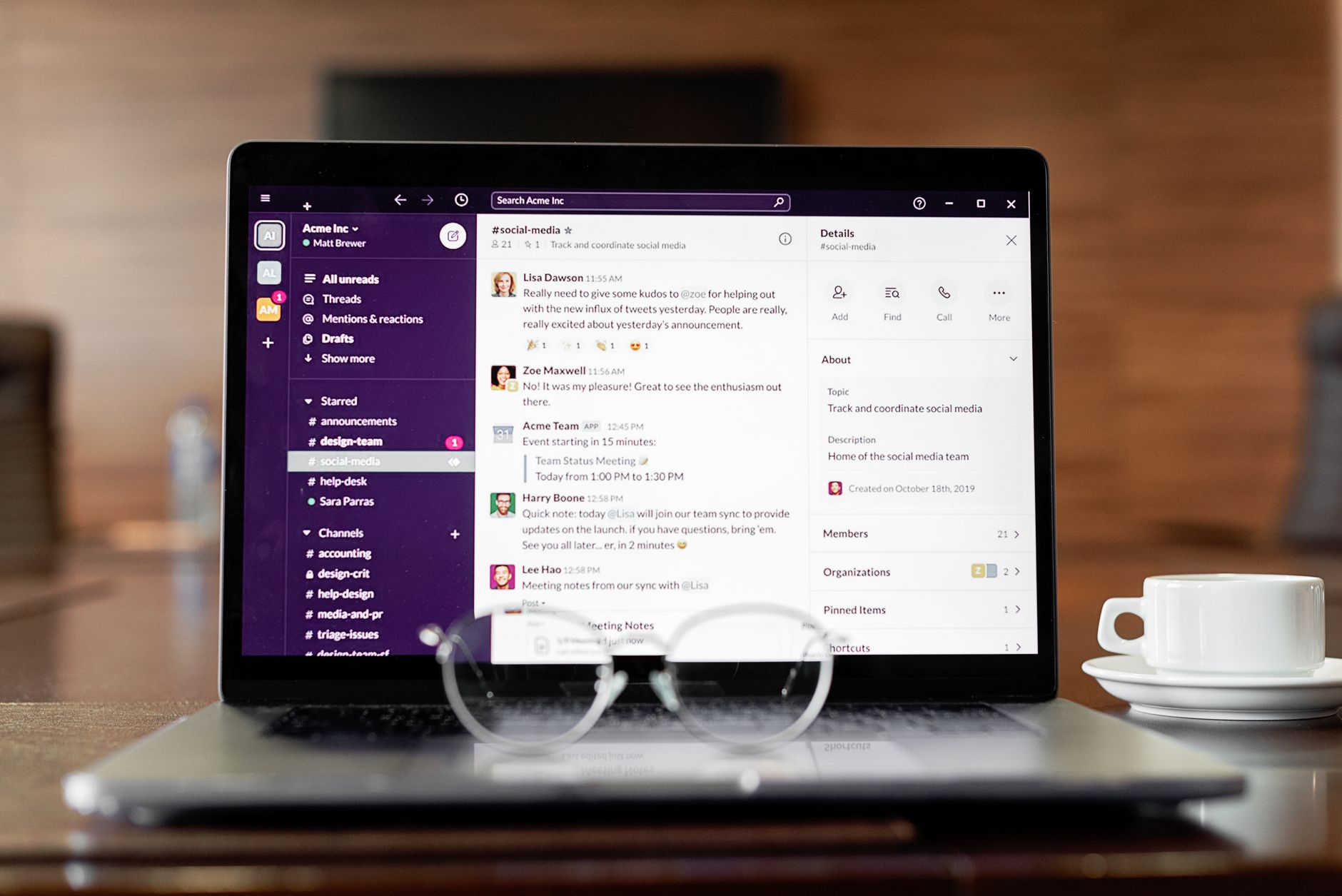
Yes, one Slack app can hold workspaces that were joined with different email addresses. The catch is that Slack never connects them for you. When you sign in with one address, Slack lists only the workspaces tied to that address. Every workspace joined under a second address has to be added by hand, through the workspace icon in the sidebar, then Add a workspace, then Sign in to another workspace, using that second address. Once each one is added, they all sit in the same switcher and you move between them with a click or a shortcut. The rest of this guide covers why Slack behaves this way, the exact steps on a Mac, and the parts that stay awkward even after setup: notifications, address changes, and keeping clients apart.
Why Slack only shows some of your workspaces
The behavior makes sense once the account model is clear. In Slack, an account does not belong to a person. It belongs to a workspace. Slack's own help page on joining says it directly:
You can use the same email address to join as many workspaces as you'd like, but you'll have separate Slack accounts for each one.
That sentence comes from the Join a Slack workspace article. So even with a single address, three workspaces mean three accounts. The address is the lookup key that ties them together on the sign-in screen.
When you type an address at sign-in, Slack sends a code to that inbox and then shows every workspace that address belongs to. Workspaces joined under another address are simply not in the result, because nothing links the two addresses. Slack has no master profile above the workspace level that would know both addresses belong to the same human.
This is why people searching for this problem often think a workspace has been lost. It has not. It is filed under a different key. The common causes are easy to recognize:
- You joined a client's workspace from an invitation sent to the address the client had on file, often a personal one.
- Your employer's workspace uses single sign-on with the company domain, while a community or side project uses a personal address.
- You were added as a guest in another company's workspace, which created a separate account under whatever address the invite went to.
In each case, the fix is the same: sign in to each address once inside the app you already use.
Adding a second-address workspace to the Mac desktop app
Slack documents the steps in Sign in to Slack. On the desktop app for Mac, the path is short:
- Open the Slack desktop app, already signed in to your first workspace.
- Click your workspace icon in the sidebar.
- Click Add a workspace, then choose Sign in to another workspace.
- Enter the second email address, then confirm your identity. Slack accepts a passkey, a confirmation code sent to that inbox, or single sign-on if the workspace requires it.
- In the list that appears, click the arrow next to the workspace you want to open.
Repeat this once per address. If a workspace uses Google for sign-in, choose Continue with Google and pick the right Google account from the chooser. When several Google accounts are signed in on the Mac, read the chooser carefully, because picking the wrong one signs in to a different Slack account than intended.
There are two details the help page mentions that save time later. First, if your workspace or organization requires two-factor authentication, you will be asked for a six-digit code on each new sign-in. Have the authenticator ready before you start. Second, once you are signed in on desktop, you can sign in on your phone with a QR code: on the Home tab, click your workspace name in the sidebar, then click Sign in on mobile. That avoids typing the second address into the phone at all.
The same menu works in a web browser. Slack's help page describes the identical path, clicking the workspace icon in the sidebar and then Add a workspace, for both the desktop app and the browser version. That matters for people who keep Slack in a browser tab instead of installing the app: the browser tab can hold several workspaces under different addresses in the same way, as long as it stays in one browser profile.
If an address seems to have no workspaces, check for typos and for an older address. The same help page suggests that people with separate personal and work addresses visit the sign-in page and try each address in turn to see which one a workspace is tied to.
Switching between them once they are all in the app
After every workspace is added, they appear together. According to Switch between workspaces, clicking the workspace icon in the top left shows a list of all workspaces you are signed in to. On a Mac, pressing ⌘ + Shift + S keeps the workspace switcher visible in the sidebar, and you can drag the icons to reorder them.
Reordering matters more than it sounds. Put the workspaces you answer fastest at the top. A common layout puts the employer first, active clients next, and communities last.
The switcher solves navigation. It does not solve two other things. It shows every workspace in the same window, so a message meant for a client can still be typed into the employer's workspace if attention slips. And it does not show which email address each workspace uses. Both points come back in the sections below.
Notifications are set per workspace
Because each workspace is a separate account, each one keeps its own notification preferences. Slack's notification settings guide describes the path: click your profile picture in the sidebar, select Preferences, then Notifications. From there you choose Everything or Mentions and direct messages, set keywords, and set a notification schedule. Outside the schedule, notifications pause.
The practical consequence is that a change in one workspace does nothing in the others. Someone with four workspaces who mutes evenings in the employer workspace will still be pinged at night by the other three. To get a consistent rule, open Preferences inside each workspace and set it there.
A workable pattern for people who juggle several addresses:
| Workspace type | What to notify about | Schedule |
|---|---|---|
| Employer | Mentions and direct messages | Working hours |
| Active client | Mentions and direct messages | Agreed response hours |
| Past client or guest access | Mentions and direct messages, with banners off | Working hours |
| Community | Nothing by default, keywords only | Evenings or weekends |
The table is a starting point, not a rule. The useful part is deciding once, writing it down, and applying it to each workspace in a single sitting.
Changing or consolidating email addresses
Many people try to fix the split by moving every workspace onto one address. Slack supports changing the address, but one workspace at a time. The Change your email address article lays out the steps: go to your account settings at my.slack.com/account, click Expand next to Email address, enter your password and the new address, then confirm through the email Slack sends with the subject line "Confirm your new email address."
The same article states that your account for each workspace is separate, so to change the address in another workspace you sign in to that one and repeat the steps. There is no setting that changes all of them at once.
Consolidation also stalls in three predictable places:
- Single sign-on. If the workspace owner has turned on single sign-on, the ability to edit personal information, including the email address, may be restricted. The address is controlled by the company's identity system.
- Client policy. Some clients only allow addresses at their own domain or require guests to use the address the invite went to.
- Separation you actually want. Password reset emails and important notices go to the address on file. Keeping a client workspace on a client-specific address means those messages land where the rest of that client's mail lands.
For many freelancers and consultants, the right answer is not one address. It is a clear map of which address belongs to which workspace, and a setup that keeps them from blending.
When the desktop app is not enough separation
The Slack desktop app keeps every signed-in workspace in one window under one app icon. That is convenient until the work requires stronger boundaries. Three situations push people toward a different arrangement.
The first is screen sharing. Sharing the Slack window during a client call shows the sidebar, which can expose the names of other clients' workspaces.
The second is overlapping Google sign-ins. If workspaces use Continue with Google with different Google accounts, every sign-in depends on choosing the right account in the chooser, and a wrong choice has to be signed out and redone.
The third is the rest of the stack. A client workspace rarely comes alone. It usually comes with that client's Google Drive, project tool, and calendar, each under the same client address. Separating Slack while the rest stays mixed only moves the confusion.
There are three common ways to draw stronger boundaries on a Mac:
| Approach | What is separated | Cost |
|---|---|---|
| Slack desktop app with several workspaces | Slack accounts only | Free, one window for all |
| One browser profile per client | Cookies, history, and sign-ins for every site | Free, one more window per profile |
| App aggregation browser with a container per account | Each web app and each account in its own session | Usually a paid plan for multiple accounts on one service |
Browser profiles are the free option that separates everything, not only Slack. Their limit is navigation: every profile is another window of the same browser, and finding the right one gets slower as the count grows.
An app aggregation browser keeps all of these web apps in one window but stores each account's session separately. For example, the macOS app made by the publisher of this site lets you right-click an app you already added and choose "Add as Another Account (separate session)," which creates a second copy such as "Slack 2" with its own sign-in. Its Workspaces page explains how apps can be grouped per client, each group with its own set of sign-ins. Per the Pricing page, the free plan allows one workspace with up to three apps, and multiple accounts per service is part of Pro, priced at $7 a month, $60 a year, or $129 once, with a 14-day trial that needs no card.
What to change first
Start by listing every Slack workspace you belong to next to the address it uses, then add any missing ones through Add a workspace so they all sit in one switcher. Set notification preferences in each workspace in a single pass. If clients also bring their own Drive and calendars, consider grouping by client instead, either with browser profiles or with Workspaces in an app aggregation browser.
Frequently asked questions
Can one Slack desktop app hold workspaces joined with different email addresses?
Yes. Sign in with the first address, then click your workspace icon, choose Add a workspace, and choose Sign in to another workspace. Enter the second address and confirm with the code Slack sends. All workspaces then appear in the same switcher.
Why does a second workspace not appear after signing in with one email?
Slack only lists the workspaces tied to the address you entered. A workspace joined under a different address belongs to a separate account. Sign in again with that other address to add it. If you are unsure which address was used, try each one on the Slack sign-in page.
Is it possible to change the email address for every Slack workspace at once?
No. Each workspace has its own account, so the address has to be changed inside each workspace through account settings. If the workspace uses single sign-on, the owner may have restricted email changes, and the address is managed by the company's identity system.
Do notification settings apply to every workspace?
No. Notification preferences are stored per workspace. Open Preferences, then Notifications, inside each workspace and set what you want to be notified about and the notification schedule. A quiet-hours rule set in one workspace will not silence the others.